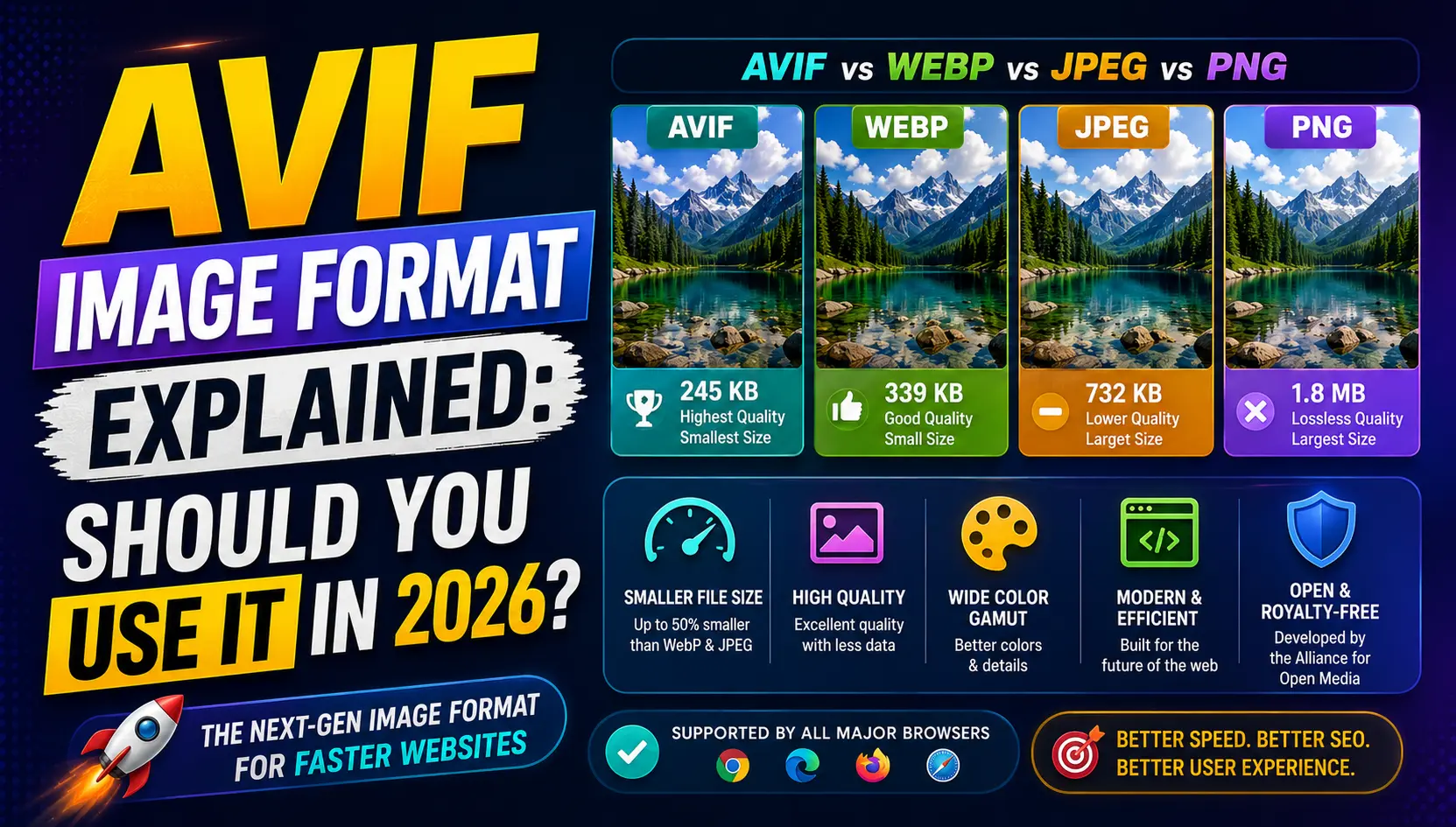
What Is AVIF?
AVIF stands for AV1 Image File Format. It is a modern image format built using the compression technology from the AV1 video codec, an open-source and royalty-free standard developed by the Alliance for Open Media, a group that includes major technology companies like Google, Apple, Amazon, and Netflix.
The same compression advances that allow AV1 video to achieve high quality at lower bitrates have been applied to still images in the AVIF format, resulting in significantly smaller file sizes than older formats while maintaining excellent visual quality. In most real-world comparisons, AVIF files are noticeably smaller than equivalent WEBP files, and dramatically smaller than JPG or PNG files for similar quality levels.
How AVIF Compares to Other Formats
To put the compression advantage in context: an image that takes up 200 kilobytes as a JPG might be around 130 to 150 kilobytes as a WEBP file, and perhaps 90 to 110 kilobytes as an AVIF file, all at similar visual quality. These numbers vary depending on the specific image content, but the pattern of AVIF outperforming older formats holds consistently across a wide range of image types.
AVIF also supports a broad feature set: transparency like PNG, animation like GIF and WEBP, high dynamic range content for richer colors and brightness, and wide color gamut support. This versatility makes it a genuinely capable replacement for multiple older formats in a single modern standard.
Browser and Software Support in 2026
AVIF browser support has expanded substantially over the past few years. Chrome, Firefox, Edge, and Safari all support AVIF in their current versions, covering the large majority of internet users. Mobile browser support has also improved significantly across both Android and iOS platforms.
Where AVIF still has some gaps is in older browser versions, certain email clients, and legacy software tools that have not updated to add support. This is why many web professionals recommend a fallback approach: serve AVIF to browsers that support it and automatically fall back to WEBP or JPG for those that do not.
Performance Impact on Websites
• Reduced total page weight leading to faster initial load times
• Improved Largest Contentful Paint scores, a key Core Web Vitals metric
• Lower bandwidth consumption, which reduces hosting costs on high-traffic sites
• Faster mobile loading on slower mobile data connections
• Better performance scores in Google PageSpeed Insights and Lighthouse
When AVIF Makes the Most Sense
AVIF is especially beneficial for websites with large numbers of images, such as e-commerce product catalogs, photography portfolios, news and media websites, and content platforms where images are a central part of every page. For these sites, even small per-image file size reductions multiply across hundreds or thousands of images and translate into meaningful overall performance improvements.
For smaller websites with fewer images, the difference between WEBP and AVIF may be less impactful in absolute terms, though AVIF still represents the better technical choice for new projects where long-term format support matters.
How to Start Using AVIF
1. Convert a sample of your most important images to AVIF using a free online converter.
2. Compare the file sizes and visual quality against your existing JPG or WEBP versions.
3. If the results are satisfactory, begin converting your most-visited pages first.
4. Configure your server or content management system to serve AVIF with a fallback format.
5. Monitor your Core Web Vitals scores and page speed metrics for measurable improvement.
AVIF vs WEBP: Which Should You Choose?
If you are starting a new web project from scratch, AVIF with a WEBP fallback is a strong combination that delivers maximum performance while ensuring broad compatibility. If you already use WEBP and are considering whether AVIF is worth the migration effort, the answer depends on the scale of your site. For high-traffic sites with many images, the additional savings are worth the effort. For smaller sites, WEBP remains excellent and the incremental benefit of adding AVIF may not justify the additional complexity.
Frequently Asked Questions
Is AVIF better than WEBP?
AVIF typically achieves smaller file sizes than WEBP at similar quality levels, though WEBP currently has slightly broader compatibility across all browsers and software.
Does AVIF support transparency?
Yes, AVIF supports full alpha channel transparency similar to PNG and WEBP.
Is AVIF safe to use without a fallback in 2026?
Most modern browsers support AVIF, but for maximum safety, especially on sites with diverse audiences, using a WEBP or JPG fallback is still a good practice.
Does converting to AVIF reduce image quality?
AVIF can be used with lossless compression for no quality loss, or with lossy compression for smaller files with minimal visible quality reduction.
Can I convert my existing JPG or PNG images to AVIF?
Yes, free online image converters can convert JPG, PNG, and other common formats to AVIF quickly without installing any software.
Conclusion
Want to try AVIF for your website images? Use our free Image to AVIF converter to quickly convert your existing JPG or PNG files and compare the results for yourself.